Black Friday is on 27 November this year. For most online shops, that means sale banners, "was" prices, countdown timers and a big push on reviews. All perfectly normal. But the rules on how you present prices, deals and reviews have changed, and they're now being enforced with real money.
On 14 October 2026, the Competition and Markets Authority (CMA) announced fines of about £6 million against three businesses for misleading sales tactics. Wayfair was fined £4.8 million over "Daily Deals" and "Flash Deals" with countdown timers, where many products stayed at the same price, or went lower, after the deadline. Appliances Direct was fined £1.2 million over "limited time" discount codes that kept coming back, and over paid extras that customers were opted into automatically. A gym chain was fined £45,000 for leaving a compulsory joining fee out of its headline price.
These are big names, but the rules apply to every business that sells to consumers, including small online shops. And the things that got those businesses into trouble are features many shops switch on without a second thought every November.
This guide gives you seven things to check on your own website before your sale starts. You don't need to be a lawyer. You need your website open in front of you, an hour or so, and a willingness to look at your shop the way a sceptical customer would. You'll come out of it with a sale you can run with confidence, and a shop your customers have more reason to trust.
In short: make sure every "was" price is one you genuinely charged, every deadline is real, every price includes compulsory charges, every extra is opt-in, and every review is genuine and fairly shown. Keep the evidence. If in doubt, take it out.
A quick note: this guide is practical information for business owners, not legal advice. If you're unsure about a specific situation, the official guidance linked below is the best place to start, and a solicitor can advise on your own circumstances.
Why this matters more this year
Since the Digital Markets, Competition and Consumers Act 2024 brought in new consumer rules in April 2025, the CMA can decide for itself whether consumer law has been broken, without going to court first. It can order businesses to compensate customers and fine them up to 10% of their global turnover.
It has been using those powers. In November 2025, the CMA opened its first eight investigations and sent advisory letters to 100 businesses about fees and sales tactics. The October fines followed. There are more cases open, including investigations into fake and misleading reviews.
The Act also includes a list of practices that are banned outright. For these, nobody has to prove they changed a customer's decision. If you do it, it's unfair. That list includes false "limited time only" claims and fake or concealed incentivised reviews.
It isn't only the CMA. Trading Standards enforce the same consumer law, and the Advertising Standards Authority (ASA) rules on whether adverts and website claims are misleading. The ASA has been looking closely at sale pricing, with its own Black Friday advice published on 8 October 2026.
The good news is that everything below is in your control. These are website settings, wording choices and habits, not technical mysteries.
1. Check every "was" price is one you really charged
A crossed-out higher price next to a lower one is the classic sale display. It's also the claim regulators look at most. The question is simple: was that higher price your genuine, usual selling price, or was it set to make the discount look bigger?
What to check
- Was the product really on sale at the higher price, recently? Not briefly, and not months ago. The Chartered Trading Standards Institute's guidance for traders on pricing practices says a reference price is more likely to be fine if it was charged within the last two months with no other prices in between.
- Is it the last price you charged? If a product went from £80 to £64 to £60, you can't compare against £80.
- Did people actually buy at that price? In May 2026, the ASA upheld complaints about savings claims from several well-known retailers. In one, it said the retailer hadn't shown the higher prices were the usual selling prices, and it expected to see pricing and sales history over a meaningful period.
- If you're using an RRP, is it real? It should reflect what the product genuinely sells for in the market, and be clearly labelled as an RRP rather than your own old price.
- Are "Save £X" and "X% off" figures correct? Check the maths on a few products, especially if prices update automatically.
Why it matters: This area is getting stricter. The government has said a consultation will launch this autumn on whether fake "was" prices, invented discounts and misleading RRPs should be added to the list of banned practices.
Our advice: If you can't point to your own records showing you sold a product at the higher price, don't show the comparison. "Black Friday price: £45" is perfectly honest and still tells people it's a deal.
2. Make sure every countdown timer and deadline is real
Countdown timers, "ends tonight" banners and "48-hour flash sale" messages work because they create urgency. That's exactly why they're in the spotlight. Falsely saying a product will only be available for a limited time, to rush people into buying, is on the banned list.
This is what the Wayfair case was about. According to the CMA, many products stayed at the same or a lower price after the timer ran out. The "deadline" wasn't really a deadline.
Ask yourself
- When the timer hits zero, does the price actually go back up?
- Does the timer reset for each new visitor or each day? Some apps and plug-ins do this by default.
- Are you planning to "extend" a sale that you've advertised as ending on a set date? If so, that original deadline wasn't genuine.
- Does a "last chance" or "final hours" message appear on products that will be on offer again next week?
Our advice: Go through every app, plug-in or theme setting that creates urgency messages, and check what it does when you're not looking. If you can't be sure it's accurate, switch it off. A clear start and end date for your sale, honestly kept, does the same job.
3. Show the full price, including compulsory charges, from the start
Customers hate surprises at the checkout, and the law now backs them up. The CMA's price transparency guidance says the total price, including any charge customers must pay, should be shown up front. Adding compulsory fees later in the checkout, sometimes called "drip pricing", is not allowed.
Check that
- Any compulsory fee is in the price. Service fees, handling fees, "small order" fees, or anything else a customer can't avoid should be included, not added at the end.
- Delivery costs are clear early. The guidance says delivery charges should be shown in the "invitation to purchase", which for a shop usually means the product page. Optional faster delivery can be shown separately.
- If the price depends on choices, such as made-to-measure sizes, customers are given what they need to work out the total, close to the price.
- "From" prices are honest. A "from £20" price should include compulsory charges, and products should genuinely be available at that price.
The government's Clear Pricing campaign sums it up in three steps: show the full price up front, include all mandatory charges, and if you can't show the total yet, make it clear how customers can work it out.
Our advice: Add a product to your basket and go all the way to the payment page. Write down the price at every step. If the number goes up at any point for something the customer didn't choose, fix it before your sale. Our guide on why shoppers abandon their baskets explains why surprise costs lose sales too.
4. Don't add extras unless the customer chooses them
Pre-ticked boxes for gift wrap, insurance, extended warranties, priority handling or "protect my parcel" are common. They're also a problem. You need a customer's express consent before charging them for optional extras, and a pre-ticked box doesn't count.
That was the second half of the Appliances Direct case: paid removal and installation services that customers were opted into automatically. The CMA has published guidance on getting consent for additional charges when selling online, aimed at both businesses and the people who build their websites.
Go through your checkout and look for
- Any box that's already ticked and adds a cost.
- Any extra that's added to the basket automatically when someone adds a product.
- Any "upgrade" that's selected by default, so customers have to remove it.
- Any wording that makes saying no feel like a mistake, such as "No thanks, I don't mind if my order is lost".
Our advice: Offer extras clearly, with the price shown, and let people tick the box if they want them. Customers who choose an extra are happier customers. Those who discover it on their bank statement are the ones who complain.
5. Make sure your reviews are genuine, and shown fairly
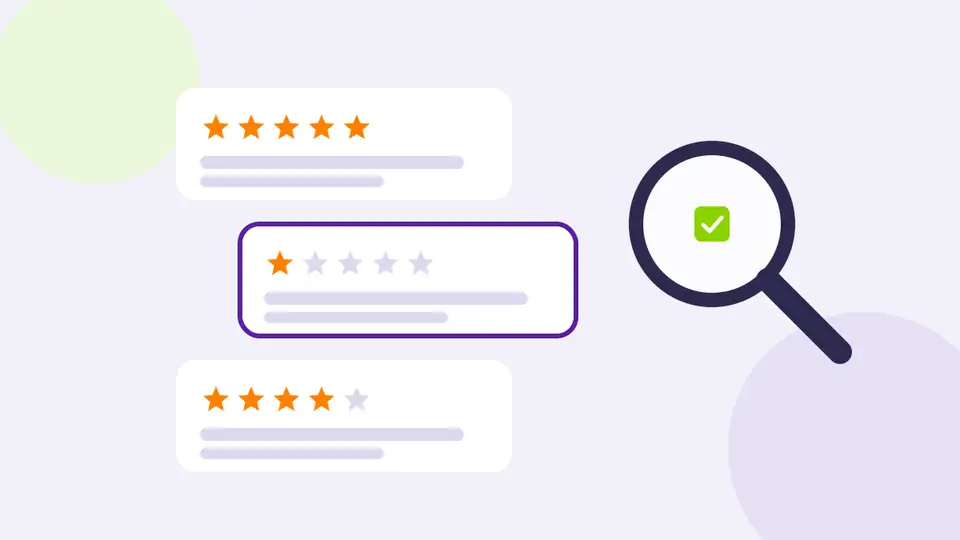
Reviews are one of the most persuasive things on any shop, which is why fake ones are banned. The CMA's short guide for businesses publishing reviews sets out what's expected, and it's more than just "don't write fake reviews".
What's not allowed
- Fake reviews, whether you write them, ask someone else to write them, or buy them.
- Hidden incentives. If you give someone a discount, gift or freebie for a review, that has to be made clear. And you can't make the reward depend on the review being positive.
- Cherry-picking. The CMA's full fake reviews guidance warns against suppressing genuine negative reviews or only showing favourable ones.
- Undisclosed connections. A review from a member of staff or someone with a financial interest in the business, presented as an ordinary customer review, may be misleading.
- Misleading star ratings or review counts that are based on fake reviews.
What you should do
If you publish reviews on your own website, you're also expected to take reasonable and proportionate steps to stop fake ones appearing. For a small shop, that can be simple: a short published review policy, a way of checking that reviews come from real customers, and a habit of dealing with anything suspicious. If you use a review app or service, you're still responsible for how reviews appear on your site.
The CMA is taking this seriously. In March 2026 it opened investigations into five businesses over reviews, including concerns about one-star reviews being left out of ratings, staff being asked to write reviews, and discounts offered for five-star reviews. It has stressed that it hasn't reached any conclusions on those cases yet.
Our advice: Ask every customer for a review, not just the happy ones, and show what comes in. Reply politely to negative reviews. Shoppers know nobody is perfect, and an honest mix of reviews with thoughtful replies is often more convincing than a row of five stars.
6. Check "up to" offers, stock claims and "free" gifts
A headline like "Up to 60% off everything" can easily say more than you mean. The ASA's Black Friday advice warns that shoppers are likely to read it as meaning most products are discounted, with many at the maximum reduction. If only a handful of items are 60% off, that headline may mislead.
Run through these
- "Up to" claims: does a fair share of the range actually get the top discount?
- Limited stock: if you're advertising a deal on a product you only have a few of, say so clearly. The ASA says "subject to availability" may not always be enough. Advertising a product at a price when you know you can't reasonably supply it, without saying so, is on the banned list.
- "Free" gifts and "free" delivery: describing something as free when the customer has to pay anything beyond the unavoidable cost of delivery to get it is also on the banned list.
- Dates and conditions: make the start and end dates of your sale, and any important conditions such as a minimum spend, clear up front.
Our advice: Before your sale goes live, read every banner and promotional email as if you were a suspicious customer. If a headline needs a small-print footnote to be true, rewrite the headline.
7. Keep the evidence, and switch the sale off properly
The last check is about what happens behind the scenes. If anyone questions a claim, you'll need to show it was accurate. And when the sale ends, it needs to end properly.
Before the sale
- Save your price history for every product you're showing a "was" price on. A spreadsheet export or screenshots with dates are fine.
- Write down your sale dates and stick to them.
- Note which apps or plug-ins create banners, timers, badges or pop-ups, so you can check and switch them off later.
After the sale
- Remove old "was" prices and sale badges as soon as the sale ends. In one of the ASA's May 2026 rulings, a retailer's old prices hadn't been removed because of human error. That wasn't accepted as an excuse.
- Check discount codes have expired if you said they would.
- Look at your shop again a day later to make sure nothing has been left behind.
Our advice: Put a reminder in your diary for the morning after your sale ends. Ten minutes checking your product pages could save a lot of trouble.
Your pre-Black Friday checklist
Here's the whole guide on one list. Work through it before your sale goes live:
- Every "was" price is a genuine, recent price you actually sold at, and you have the records.
- Every RRP is real and clearly labelled.
- Every countdown timer and deadline is accurate, and nothing resets or quietly extends.
- Every price includes compulsory charges, and delivery costs are clear on product pages.
- No extras are pre-ticked or added automatically.
- Reviews are genuine, incentives are disclosed, and negative reviews aren't hidden.
- "Up to" claims, stock claims and "free" offers are accurate.
- Sale dates and conditions are clear up front.
- You have a plan to remove sale prices, badges and timers when the sale ends.
How we approach this
When we build an e-commerce website, we set up pricing, delivery costs and checkout so the full price is clear from the product page to the payment page. We don't build in fake urgency or pre-ticked extras, and we'll tell you if a feature you've asked for is likely to cause problems. Once the shop is live, our maintenance and support means you have someone to switch sale features on and off safely, and to keep apps and plug-ins up to date and behaving as they should.
Our build is Price, from £2500 + VAT depending on the number of products, and our ongoing care plan is Care from £150 + VAT a month depending on the number of products, covering hosting, maintenance and support. There are no contracts. You can see everything that's included, or look at some of our example work.
We're not lawyers, and we can't promise a particular number of extra sales. Nobody honestly can. What we can do is make your shop clear, honest and easy to buy from, which is what customers are looking for at Black Friday and every other week of the year.
Frequently asked questions
Do these rules apply to small online shops?
Yes. Consumer protection law applies to any business selling to consumers, whatever its size. The headline fines have been against large companies, but Trading Standards and the ASA deal with smaller businesses too, and the same practices are banned for everyone.
Can I still use countdown timers?
Yes, if they're accurate. A timer that counts down to the genuine end of a sale, after which the price really does go back up, is fine. A timer that resets, or a deal that carries on after it hits zero, is the problem.
How long do I need to sell at a price before I can use it as a "was" price?
There's no single fixed period in law. The Chartered Trading Standards Institute's guidance says a price is more likely to be fine if it was charged recently, within the last two months, with no other prices in between, and the ASA expects to see evidence that it was your usual selling price. If you haven't genuinely sold at that price recently, don't use it.
Can I offer customers a discount for leaving a review?
You can ask customers for reviews, and you can offer an incentive, but it must be made clear on the review that it was incentivised, and the reward must not depend on the review being positive. Offering something only for a five-star review is not allowed.
Can you check my shop before my sale goes live?
Yes. That's exactly what the call is for. We can look at your product pages, checkout and sale features with you and point out anything that looks risky. You can also read our FAQs or contact us with a question.
Want a shop that sells honestly and clearly?
Book a 1-to-1 Zoom call. Tell us about your shop and your plans for Black Friday, and we'll tell you honestly whether we're the right fit and what we'd look at first.
Or call us on 01306 480440.